
 Day-to-day users of Patent Center are accustomed to the USPTO’s requirement that you provide two-factor authentication (“2FA”) as part of the login process. It turns out that you may be able to use your cryptocurrency hardware wallet as your 2FA at the USPTO. This blog article explains how to do it.
The USPTO requires 2FA for most customer functions on the USPTO web site. In the past, the user options included:
-
- one-time code via SMS (text message)
- one-time code via email
- time-based one-time password (TOTP) via mobile or desktop app
- Okta Verify
- Hardware security key or biometric authenticator
Some months ago the USPTO cut off the first two options. I’d guess that most USPTO customers now use TOTP (for example Winauth or, for those who do not know how to use Winauth, Google Authenticator).
But TOTP has several possible security vulnerabilities and drawbacks:
-
- it uses a shared secret, which could fall into the wrong hands,
- each step of the authentication takes place in plaintext,
- it is vulnerable to a man-in-the-middle attack, and
- it is prone to mistyping and error (if you don’t use Winauth or a similar app on your computer).
A hardware security key offers many potential advantages:
-
- the private key is stored only on the user hardware device,
- a challenge and response are carried out in an encrypted and signed exchange, preventing interception and reuse, and
- no manual typing steps are needed.
The ability to use a hardware device as a form of 2FA at the USPTO is nothing new – I blogged about it more than eight years ago. Back then the USPTO followed a standard called U2F.
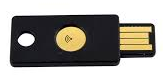 If you use a hardware security key approach for your 2FA with the USPTO (and with other systems), you may have purchased a particular hardware security key specifically for this purpose. That is what I did eight years ago — I purchased a Yubico Neo (shown at right) and set it up with the USPTO web site. But since then, the USPTO stopped following the U2F standard, and I am no longer able to use my Yubico Neo for 2FA on the USPTO web site. Now the USPTO requires that a hardware security key be compliant with the newer FIDO2 standard.
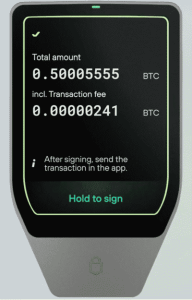 This blog article points out that you may be able to use your cryptocurrency hardware wallet as your 2FA with the USPTO web site. Yes, it might turn out that the crypto hardware wallet that you already use for self-custody of your bitcoin can also be used as your hardware security key for the USPTO. Cryptocurrency hardware wallets that support FIDO2, and thus can serve this purpose, include Trezor Safe 7 (shown at right), Trezor Safe 5, Trezor Safe 3, Trezor Model T, Ledger Nano S, Ledger Nano X, OneKey Pro, OneKey Touch, and OneKey 1.
This is a good time to remind the reader that what you never want to do is to have only one kind of 2FA set up on any particular system. In general you want to have at least two kinds of 2FA set up, and preferably more.
To set up a hardware security key with the USPTO, log in at MyUSPTO.gov. Click on your name in the upper right corner and select “settings”. Scroll down to “Security Methods”. Find “Security Key” and click on “set up another”.
If you have not already done so, connect your cryptocurrency hardware wallet (or other hardware security key) to your computer using a USB cable.
Now follow the steps in your USPTO security key settings. This includes clicking around on the MyUSPTO web page, tapping on the screen of the cryptocurrency hardware wallet, and entering your PIN number on the wallet. When you have finished this process, give a nickname to the device in MyUSPTO.
I don’t use this 2FA approach very often at the USPTO web site, because the Winauth solution is by far the fastest and easiest way to log in (I merely copy and paste the six-digit number from one place to another on my computer). But this hardware security key approach certainly serves as a backup in case there is ever some problem with the TOTP approach.
Have you successfully set up a hardware security key for your USPTO 2FA? Do you use it regularly? Have you successfully set up your cryptocurrency hardware wallet for your USPTO 2FA? Please post a comment below.