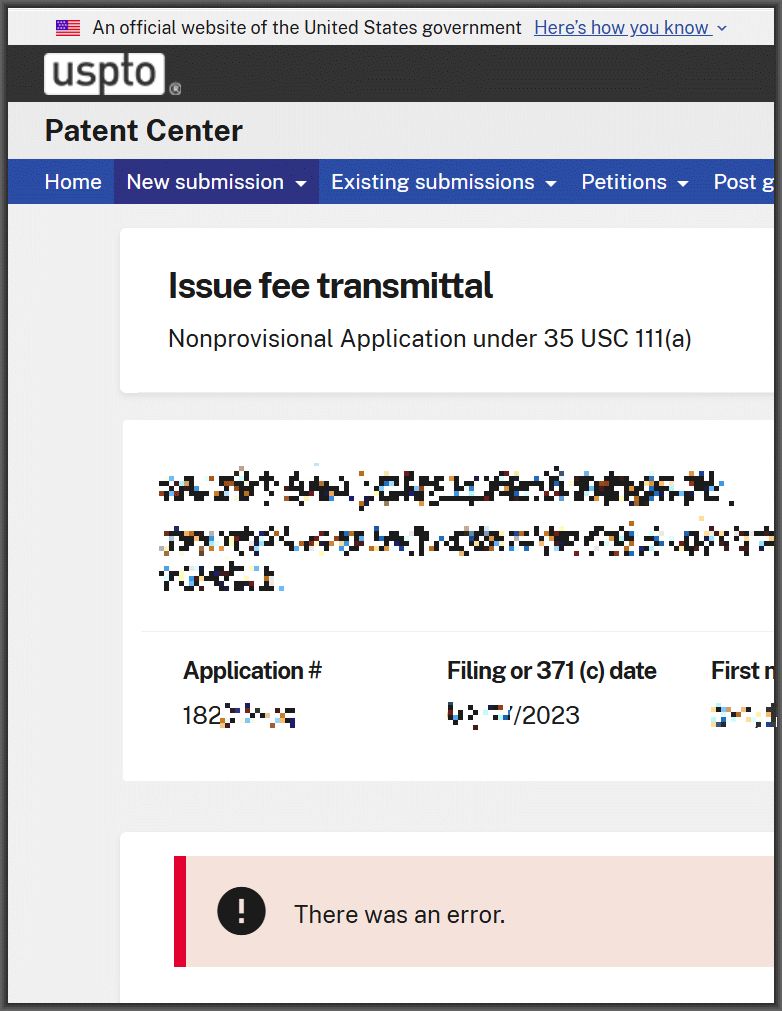
I was paying an Issue Fee in Patent Center, I clicked “submit”, and at right you can see what happened next. “There was an error”.
That’s it. The developers of Patent Center want me to know that “There was an error.”
Well, now I know. There was an error.
What really deserves comment here is the state of mind of the developers when they designed this error message. Somebody somewhere at the USPTO, when they were coding this line of code, said “well, I guess I need to choose the text of this error message.” And this person decided that the way to explain what had gone wrong was to use these four words.
You could ask a twelve-year-old child “is this an acceptable error message?” and the child would say “no it is not”.
I suppose other questions might also go through one’s mind upon seeing this error message after having tried to pay an Issue Fee. For example one might wonder “should I pay the Issue Fee a second time?” One might wonder “if I fail to pay the Issue Fee a second time, will the USPTO eventually deem this application to have gone abandoned?” Of course what one does next is to click around in the various places in Patent Center that ought to provide clear answers to such questions.
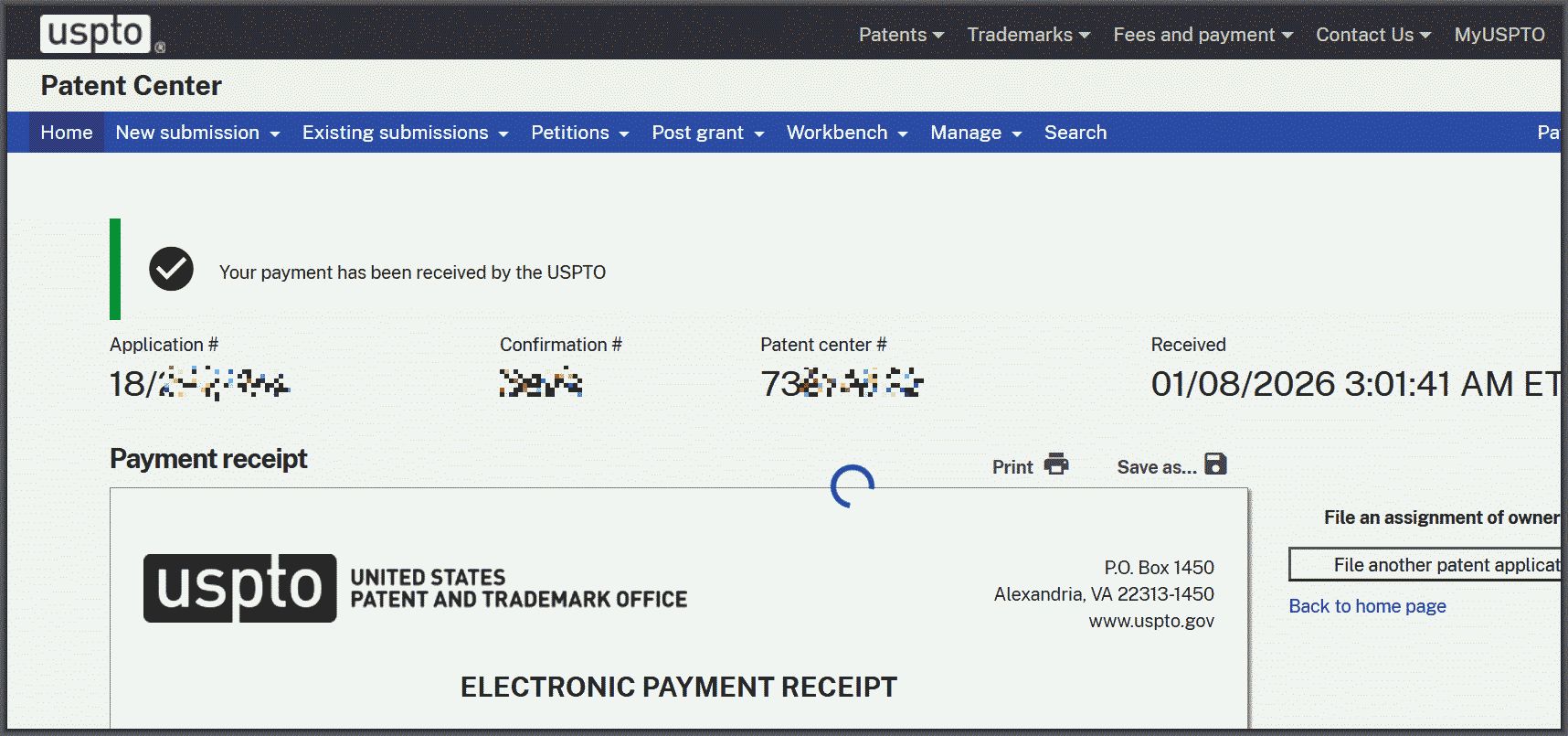
For example, one can click around to “Workbench” and “View receipt history”, and depending on where one clicks next in the receipt history, one can reach either of the two screens shown at right. It will be appreciated that the two screens quoted at right give opposite answers to the question of whether or not the USPTO has received the Issue Fee. The first screen suggests that maybe the USPTO did receive the Issue Fee, except for the pesky problem that the hourglass never finishes and the “print” icon does not work and the “save” icon does not work.
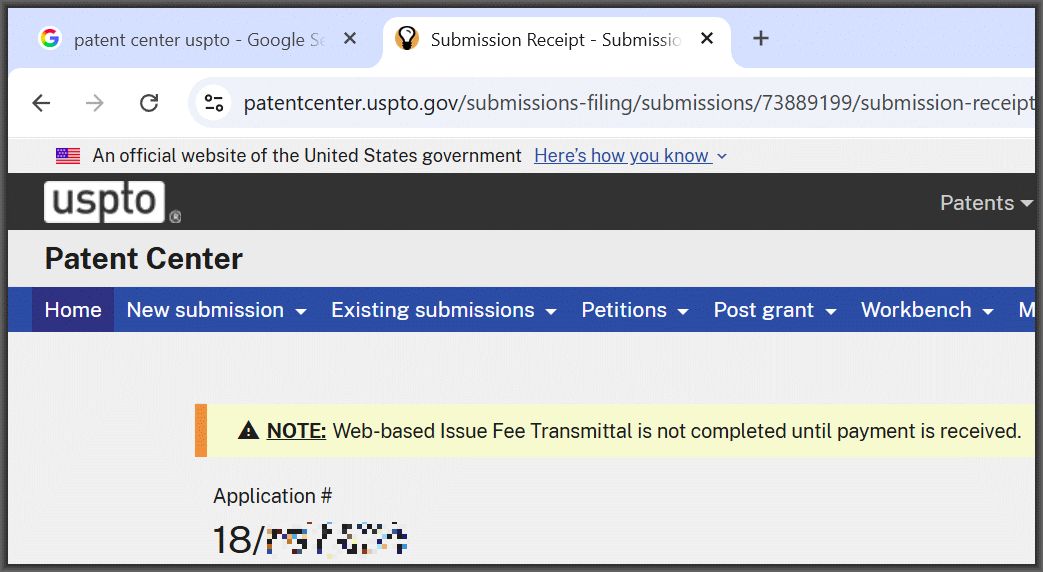
By contrast, the second screen shows a warning icon and a big yellow banner that says:
Note: Web-based Issue Fee transmittal is not completed until payment is received.
Oh, and I suppose one might be tempted to phone up the Electronic Business Center. But at this hour of the day, the EBC is closed. One might be tempted to phone up the Application Assistance Unit, but at this hour of the day, the AAU is closed.
But one circles back to the first screen shot quoted above — the one where the USPTO developer selected the words to use in the red banner error message:
There was an error.
A twelve-year-old, in his or her first-ever software coding class, would have picked better words for this error message than the USPTO developer picked.
I will mention that after about an hour, it got to the point where Patent Center did grudgingly offer up an actual Acknowledgment Receipt, saying that the USPTO had received the Issue Fee.
Interesting. I wonder if this has anything to do with the “Emergency Network Outage” & “Patent Center Affected by Network Maintenance” scheduled from 01/07 9PM EST – 01/08 5AM EST? (see PTO System Status & Availability Page). The Event details are a bit concerning, vague, and overall unhelpful:
“Users may experience a 15-minute disruption; however, the exact time of the disruption is unknown. ”
“Avoid the use of any USPTO applications that utilize the internet or intranet during the scheduled time.” (!!!)
“This emergency network maintenance is required to ensure network is reliable and secure for the end user.”
“If you have any questions or concerns, please contact Alan Barta: Alan.Barta@uspto.gov. “
I have experienced similar issues intermittently when filing other documents in recent weeks (December 1, 2025 through January 15, 2026 on both Firefox and Edge browsers). It has occurred when submitting IDSs and OA responses.
When I click submit, the page seems to get frozen and then a subsequent click on the submit button generates an error message. The error message is either: “There was an error” as discussed above, or “Submission in invalid status: FPNG_PAYMENT_PENDING.” In almost every instance, this is followed by a little pop-up that comes up and invites me to take a survey about my filing experience.
I speculate that either the pop-up survey script is causing problems and/or some sort of partial time-out that sort-of but not completely logs me out is occurring.
In each instance (at least 5 so far) the documents were actually submitted, although in some cases they took more than an hour to show up in the file wrapper (Documents & Transactions tab in Patent Center).
I have found a few work-around strategies, that sometimes help, but not always.
1) Sometimes returning to the link or url of a saved submission will then put you on the payment page to complete the transaction – so save that url before you click submit and get bumped to the error screen. (In all cases I have seen, it is no longer present in the saved submissions list in the workbench.)
2) Sometimes refreshing the page helps, but first, before refreshing, open another tab to patentcenter from the MyUSPTO page to clear any potential time-out issue.
3) Sometimes going to the workbench and selecting ‘view receipt history’ then clicking on the patent center transaction link will take you to the payment page to complete the transaction – transactions seem to show up here even when not shown in the file wrapper (as the blog post observed).
4) Or, you can log out and log in again, and then just pay the fee as it’s own submission (confirm in the receipt history that it was received, or resubmit and let the USPTO deal with duplicate entries).
Of course, these extra steps are particularly frustrating at 11:59pm, but if the document was submitted by midnight and USPTO system flaws prevented timely receipt of payment, a payment pre-authorization on file should be sufficient, even on a bar date.