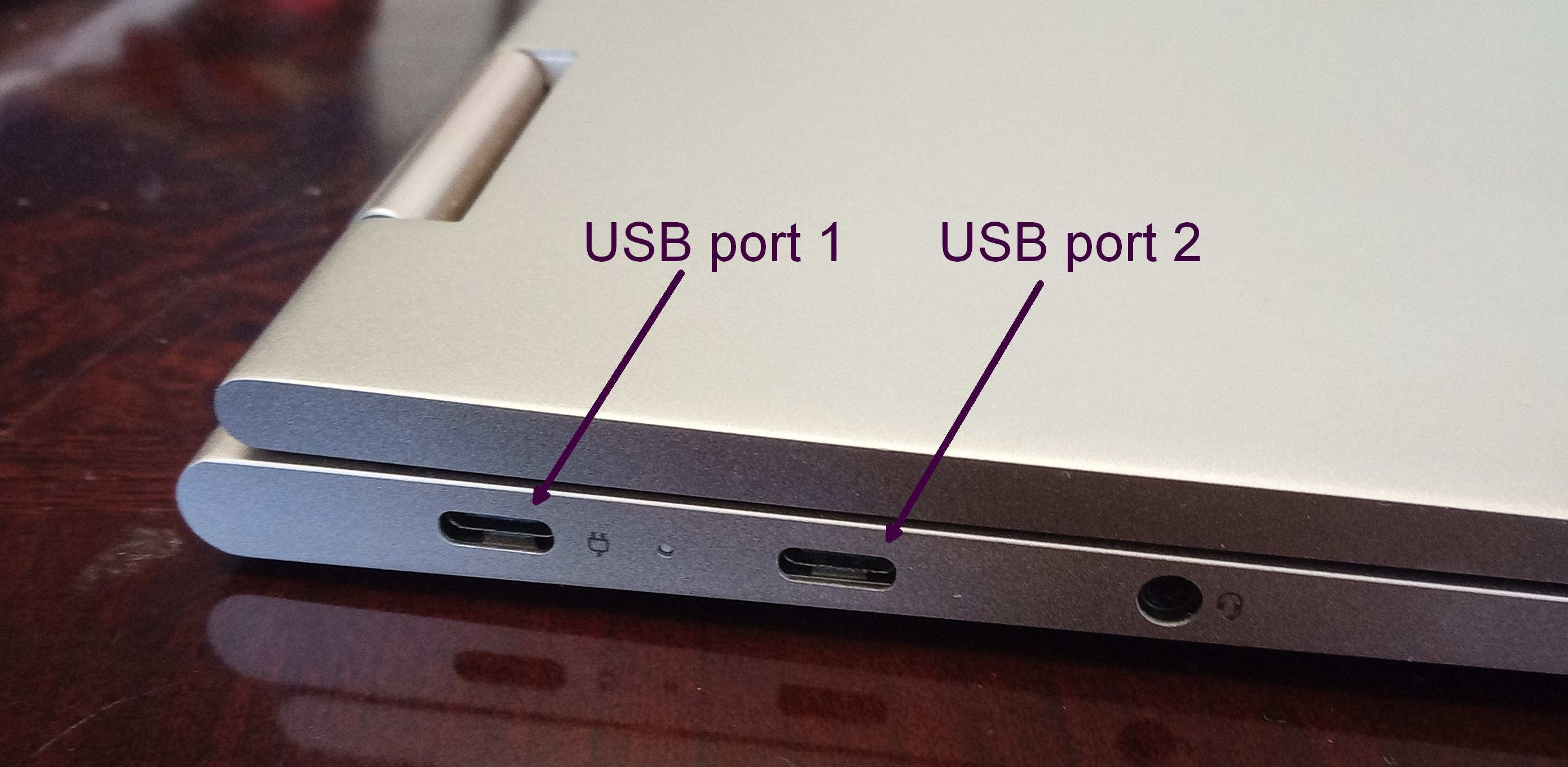
Quite often when I find that some consumer electronic device that I purchased has a really nice or clever feature, I realize that this is not at all due to my somehow having been a savvy purchaser, but instead that it is due to dumb luck. This really nice feature of my new Lenovo Yoga notebook computer falls into the “dumb luck” category. Continue reading “Charging port redundancy”
click to enlargeclick to enlargeclick to enlargeclick to enlarge
Yesterday I offered a quiz to my loyal readers. Which readers could figure out what these four things had in common? Today I announce the winners and I offer some discussion and explanation as to how these four things are really very nearly exactly the same. Continue reading “What the four things have in common”
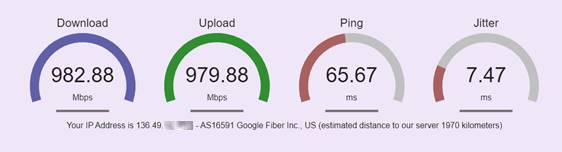
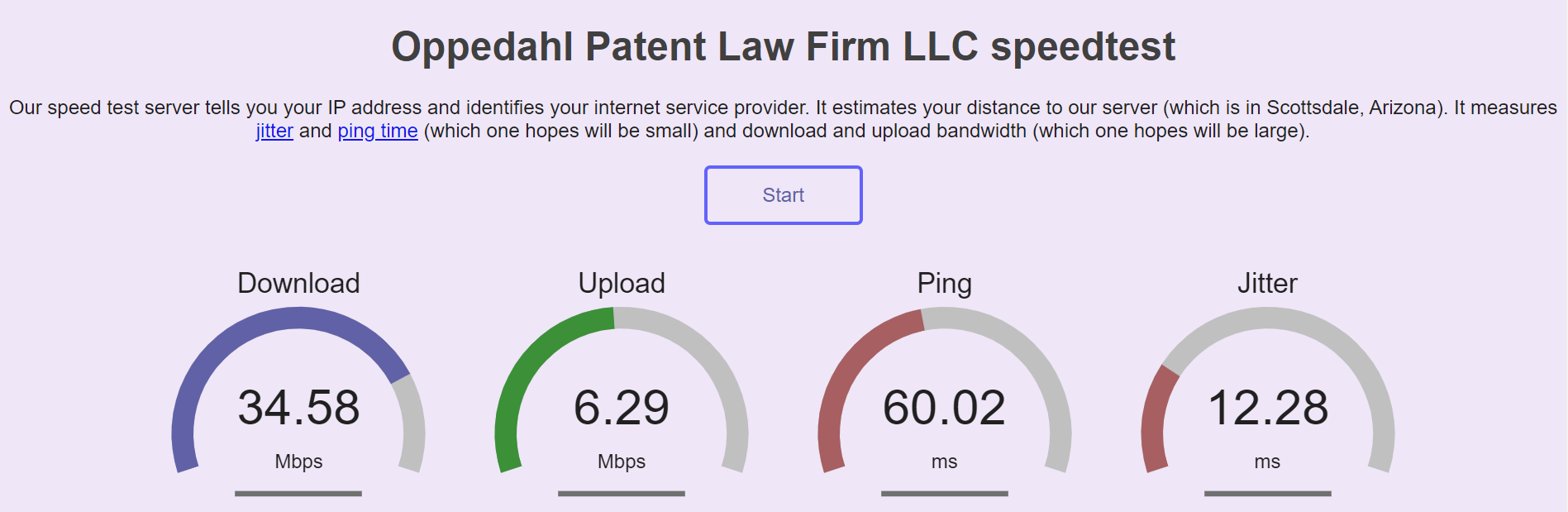
A week ago I blogged that we migrated our OPLF speed test from our office in Colorado to a server farm in Arizona. At that moment our speed test was on a box that was connected to the rest of the world through 100base-T ethernet. That meant that the fastest speed you would ever see in the speed test is 100 Mbps. If your own Internet connection happened to be faster than 100 Mbps, then our speedtest would give you an unnecessarily pessimistic sense of the speed of your Internet connection. Just now we took a step that removes this unnecessary pessimism. Continue reading “Our speed test improved still more”
A year or so ago we migrated quite a few of our firm’s server functions, including this blog, and our firm’s main web site and our firm’s shopping cart, to a shared server in this large building (company web site) in Phoenix, Arizona (aerial photo at right). I’ve never been in that building and my best guess is I won’t ever be in that building. The shared server was on an equipment rack in a cage controlled by our hosting service provider. The building provides multiple connections to the Internet and diesel-powered backup power supplies. In the photograph you can see the diesel fuel storage tanks.
Shared servers are really good to know about. A shared server can provide a very inexpensive way to host many functions in a secure and reliable environment.
On a shared server, you are sharing processor and hard-drive and network-connection bandwidth resources with others on the same server. This means that if you were to use too much of the resources, your hosting service provider would suggest you move to a dedicated server. This also means that if some other user or users on the same server were to use a lot of resources at a particular time, your functions would get slowed down. If for example you were hosting a web site on the server, the web site might run slower for visitors to the web site, because of the activities of other users on the shared server. Another thing to keep in mind is that not all hosting service providers are created equal. Some providers will load too many users on a shared server, and the result will be that it runs slowly for everyone.
Back when we used a shared server at Godaddy, it often ran slowly. I imagine this is because Godaddy put lots of users onto each server. It is part of why we migrated to our present hosting service provider. During the time that we used a shared server with our present hosting service provider, it happened only very rarely that the shared server would run slowly for us.
click to enlarge
A couple of months ago we migrated most of the functions that were on that shared server to a dedicated server. The dedicated server costs more per month, but of course there are benefits to its being a dedicated server. The server is very fast. It never slows down because of other users, because there are no other users. And you have “root access” meaning that you can do really neat things. One of the neat things that I was able to do is to set up Let’s Encrypt (blog article) in the AutoSSL of the cPanel (Wikipedia article) in this machine. The consequence of this is that we won’t ever again have to pay money for an SSL certificate for any web site on this server.
click to enlarge
I haven’t ever actually seen our dedicated server, and I probably never will, but from its specs I can guess that it might look like the one pictured at right. It takes up one “rack unit” on an equipment rack in the same cage where the shared server was located.
The natural question that one might ask is, if we ever were to find the need to reboot our dedicated server, how would we do it? Would I need to get on an airplane, fly to Phoenix, present myself at this building, get myself admitted to the cage, figure out which server is mine, and push the “reset” button? Or would I need to contact our hosting service provider and beg and plead for them to send someone to the cage to do this?
When a notebook computer stops working, the usual next steps are:
buy a new notebook computer, and
spend at least two lost weekends getting the new computer loaded up and configured so that it does for you what the old computer used to do.
For must of us, the emotional cost of the second step, and the lost-professional-billing cost of the second step, far exceed the amount of money involved in the first step.
Yesterday I had to retire an old notebook computer and move to a new one. But for me, the second step was only about ten minutes. Not the usual two lost weekends. How did this delightful result happen? Continue reading “A fresh computer with no migration cost”
(Update: See a followup message here about a step that you might take to try to get the listservs working for you again.)
For those who are following my travails trying to get ISPs to accept our listserv email messages now that we are on our dedicated server (original post and update) … this posting about “munging” may be of interest. Others are invited to skip this posting as being even more geeky than usual. Continue reading “Listserv update – I turned on “munging””
Hello dear readers. By now you may have noticed the layout of the blog is back to normal. It will be recalled that a couple of days ago I had migrated this blog from a shared server to a dedicated server. As it turns out, one of the consequences of the migration was that the server defaults to a newer version of PHP. To get my regular WordPress theme functioning again, what I had to do is force it that this blog is running on a slightly older version of PHP. And indeed the theme functions again.
Why does the Ant-Like Persistence blog look strikingly different today? I did not want it to look different today but it does. I will explain why it looks different. Continue reading “WordPress Themes”