
In our firm’s work-from-home setup, everything is Voice over IP (VOIP). This means it is super easy to make it so that a work-from-home employee can have a phone on their desk at home that works exactly like the phone on their desk in the office (blog article). But what is very interesting to think about is that if you have a VOIP telephone system, any employee who wants it can also have his or her office phone extension operating on his or her smart phone. Continue reading “Putting your office telephone extension onto your smart phone”
Busy lamp fields

Before we migrated to our work-from-home arrangement, most people in our office had fairly boring looking desk phones. But the group of employees whose job it is to answer incoming telephone calls on our main office telephone number each had a fairly fancy phone as shown at right. Such a phone has what phone geeks call a “busy lamp field”. (In our office we call it a “sidecar”.) When we migrated to our work-from-home arrangement, we decided to splurge and give each employee a phone with a sidecar. Why did we do this? Continue reading “Busy lamp fields”
Who is in and who is out?

At Oppedahl Patent Law Firm LLC our work-from-home setup is a work in progress. Yes each person has a phone extension at home that works exactly like the phone extension that is on the person’s desk in the office (blog article). Yes each person has a VPN giving them access to all of the office resources (blog article). But how about some way that each work-at-home person can let the others in the office know of that person’s status? Is there a way that at a glance I can see who is “on duty” and who is “off duty” right now? Is there a way that I can see at a glance whether the best way to reach a person just now is by dialing their office telephone extension or by dialing their cell phone? We managed to work out a free-of-charge way to make this possible. Continue reading “Who is in and who is out?”
Printing to a printer at a work-at-home location

Recently at Oppedahl Patent Law Firm LLC we shifted to a work-from-home setup. Everybody is working at home. When we were setting up the work-from-home systems, we had several goals:
- a recurring cost of zero for the work-from-home systems
- a very small up-front cost for the work-from-home systems
- replicating at home the functions and systems from the office
Good luck smiled on us. We managed to get our office phones working at home without having to spend any money up front or incur any recurring cost (blog article). We managed to set up VPN access to all of the office resources with no recurring cost and an up-front cost of only about $82 per home location (blog article). These happy results were mostly due to our employees being smart and resilient, along with generous helpings of good luck.
One office function remained, however, to be implemented. We needed to have a setup by which anybody in the office could remotely print a document onto a printer located in the home of anybody else in the office. (So much for our saying that we run a paperless office!) To give one example, if an accounts-receivable person generates a bill to be reviewed by an attorney, what we hope for is that the AR person could with one or two mouse clicks print that draft bill on a printer at the home of that attorney.
Of course what we would hope is that implementation of this function would be cost-free just like the previous two implementations. We would hope to incur no up-front cost beyond the cost of the printer itself (typically about $90 per home for a nice duplex-printing monochrome laser printer), and no recurring cost.
Here’s what turned out to work for us. Continue reading “Printing to a printer at a work-at-home location”
Mountain Dew Zero Sugar redux

Hello dear readers. What a relief it is, when so many things that are happening around us clamor for our attention, that we can sometimes return to pleasant and diverting discussions of some of the more important things in life. A chief example for today being the ingredient lists for two beverages that I discussed the other day in this blog article, namely Diet Mountain Dew and Mountain Dew Zero Sugar. Continue reading “Mountain Dew Zero Sugar redux”
Mountain Dew Zero Sugar?
If like me you quaff the occasional Diet Mountain Dew, then you may have shared my puzzlement at the presence of a new product in stores — Mountain Dew Zero Sugar. Are they the same thing? Continue reading “Mountain Dew Zero Sugar?”
A refreshing corporate response to the recent health and economic challenge
The headlines and press relations and social media are filled with corporate responses to the recent health and economic challenge. Many of the corporate responses are a bit discouraging — Apple closing its iPhone stores, airlines canceling flights. Many other corporate responses are predictable but a bit ham-fisted — hotel chains with emails to me in which the supposed communications goal is to let me know that they are cleaning each guest room extra well, but poorly concealed is a rather desperate plea that I will please book a room at one of their hotels so that they can make a little money. Other corporate responses, for example from banks and other service industries, try to put the best face they can on the cutting back of their opening hours. A remaining category of corporate response is to covertly raise prices, typically by keeping the nominal price the same while cutting back on the variety or quantity or timeliness of services or hours of operation. Which brings us to a frankly encouraging corporate response from one of our favorite service providers. Continue reading “A refreshing corporate response to the recent health and economic challenge”
What is it sensing?

Recently I happened upon a weather station with a couple of interesting-looking air sensors. What do they sense? It’s easy of course to work out what the white one (upper right) is sensing. But the one in the lower center, metallic colored — what is it sensing? Continue reading “What is it sensing?”
Setting up remote access — computers
Recently at Oppedahl Patent Law Firm LLC we chose to explore possible work-from-home approaches. This blog article and a previous article talk though some of the things that we are working on, in case it may be of interest to some readers. The previous article talks about being able to unplug a phone from a desk in the office, and put the phone into car, and take it to an employee’s home, and plugging it in, and having it work just as it would in the office. This article talks about being able to unplug a desktop computer from a desk in the office, and put the computer into car, and take it to an employee’s home, and plugging it in, and having it work just as it would in the office. Continue reading “Setting up remote access — computers”
Setting up remote access – telephones
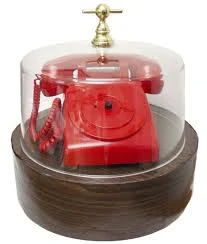 Recently at Oppedahl Patent Law Firm LLC we chose to explore possible work-from-home approaches. This blog article and some subsequent articles talk though some of the things that we are working on, in case it may be of interest to some readers. In this article we talk about setting up what we call “bat phones”, meaning phones that can be plugged in at the homes of employees and the phones work exactly as they would work in the office. In a subsequent article we talk about setting up VPN access so that an employee might be able to take his or her desktop computer home, and plug it in, and have it work just as if it were in the office. Continue reading “Setting up remote access – telephones”